Upload audio files and get comprehensive speech analysis: transcription with word/phoneme alignment, stress patterns and syntactic pause analysis.
Detailed Analysis Capabilities
- Speech Transcription - Automatic speech recognition with word-level timing
- Phonetic Alignment - Precise phoneme-level segmentation using WebMAUS
- Syntactic Structure - Part-of-speech tagging and constituency parsing
- Pause Analysis - Identify structurant and disfluent pauses based on syntactic structure
- Lexical Stress Patterns - Identify stressed and unstressed syllables
- Syllable Detection - Automatic syllable nuclei identification
Privacy & Security
- • No audio files stored permanently
- • Local server processing only
- • Completely free service
- • GDPR compliant processing
Technology Stack
- • WhisperX & Crisper Whisper (ASR)
- • WebMAUS (Phoneme alignment)
- • spaCy & Berkeley Neural Parser
- • CMU Pronunciation Dictionary
🚀 Getting Started: Basic Usage
- Upload your audio files using the file uploader below.
- Select a predefined scenario or customise the pipeline settings as needed.
- Ensure you accept the terms of usage by checking the box.
- Click Run Pipeline to start processing.
- Monitor progress with the progress bar and dynamic logs.
- As you go, visualisations will appear in the Visualisation tab. You can also download output files in the Output tab.
NB. When you leave, your data is automatically deleted.
🍏 Generated Outputs
TextGrid Files
aligned transcription with stress and pause annotations
Pauses Table
per-word pauses annotations
Stress Table
per-word stress annotations
Visualisation Table
synthetic per-word annotations
Statistics Tables
various metrics per speaker and file
Word Confidence
word-level ASR confidence scores (CSV)
Word Alignment
timestamps per word (JSON)
Raw Transcript
speech recognition transcript (TXT)
📊 Visualisation of Pauses Annotations
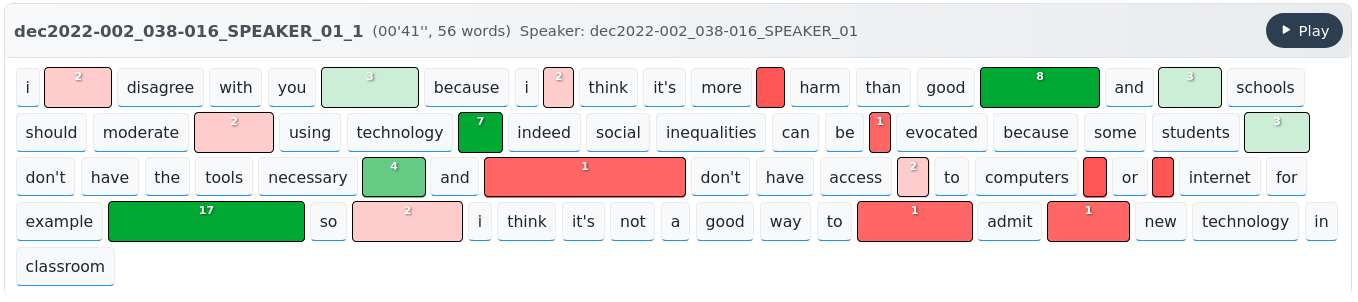 Pauses above a given duration threshold are shown between words. Colors indicate how each pause might impact speech understanding. Red indicates potentially disfluent pauses (occurring at a lower syntactic boundary), while green indicates syntactically structurant pauses. You can also display more classical between-clause, between-phrase, and between-word pause categories.
learn more about it
📊 Visualisation of Stress Annotations
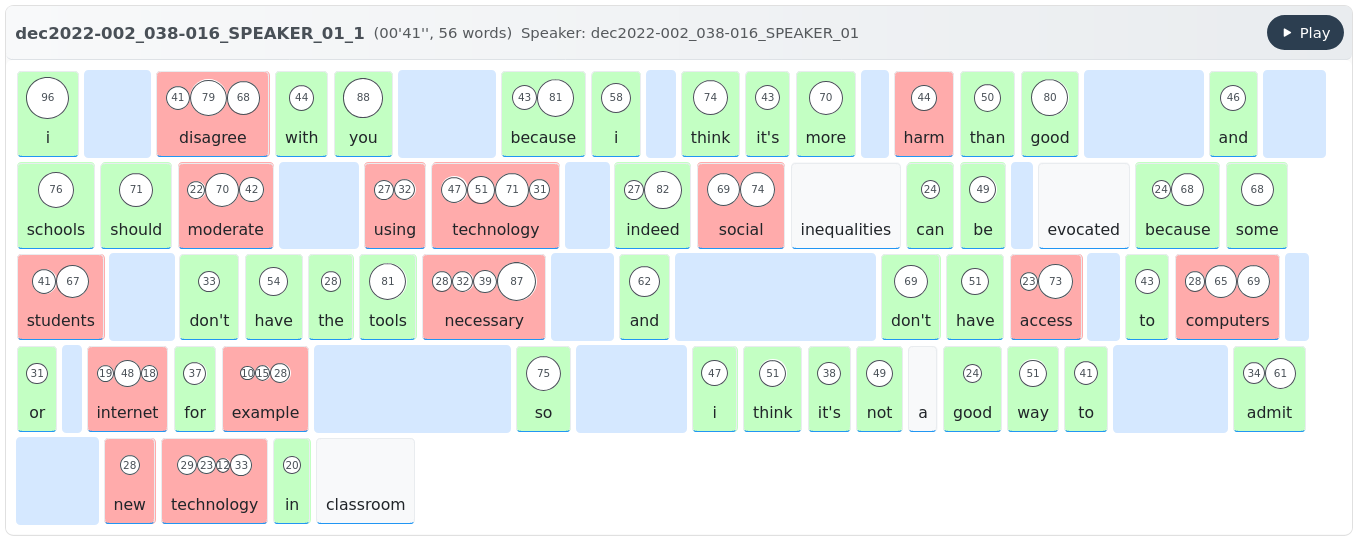 Each circle represents a syllable, with size indicating acoustic prominence (by default, the mean of speaker-normalized pitch, intensity, and duration). Red indicates an unexpected stress pattern compared to the reference dictionary. Click on a word to listen to it.
learn more about it